
Upload any PDF, Word, or Excel file to edit text inline, place signatures, compress, or convert directly in your browser. Work on your file first—save or send whenever you are ready.
Edit text inline, place signatures, compress, or convert—choose your tool right after uploading.
Upload a PDF, Word, Excel, or Image file. Non-PDFs are automatically converted in memory.
Choose to edit text inline, place signatures, compress file size, or convert formats.
Work freely in your browser. Sign in or create a free account only when you want to save or send.
Document Studio & Tools
Review, edit, sign, and route documents with structured audit tracking and encrypted storage.
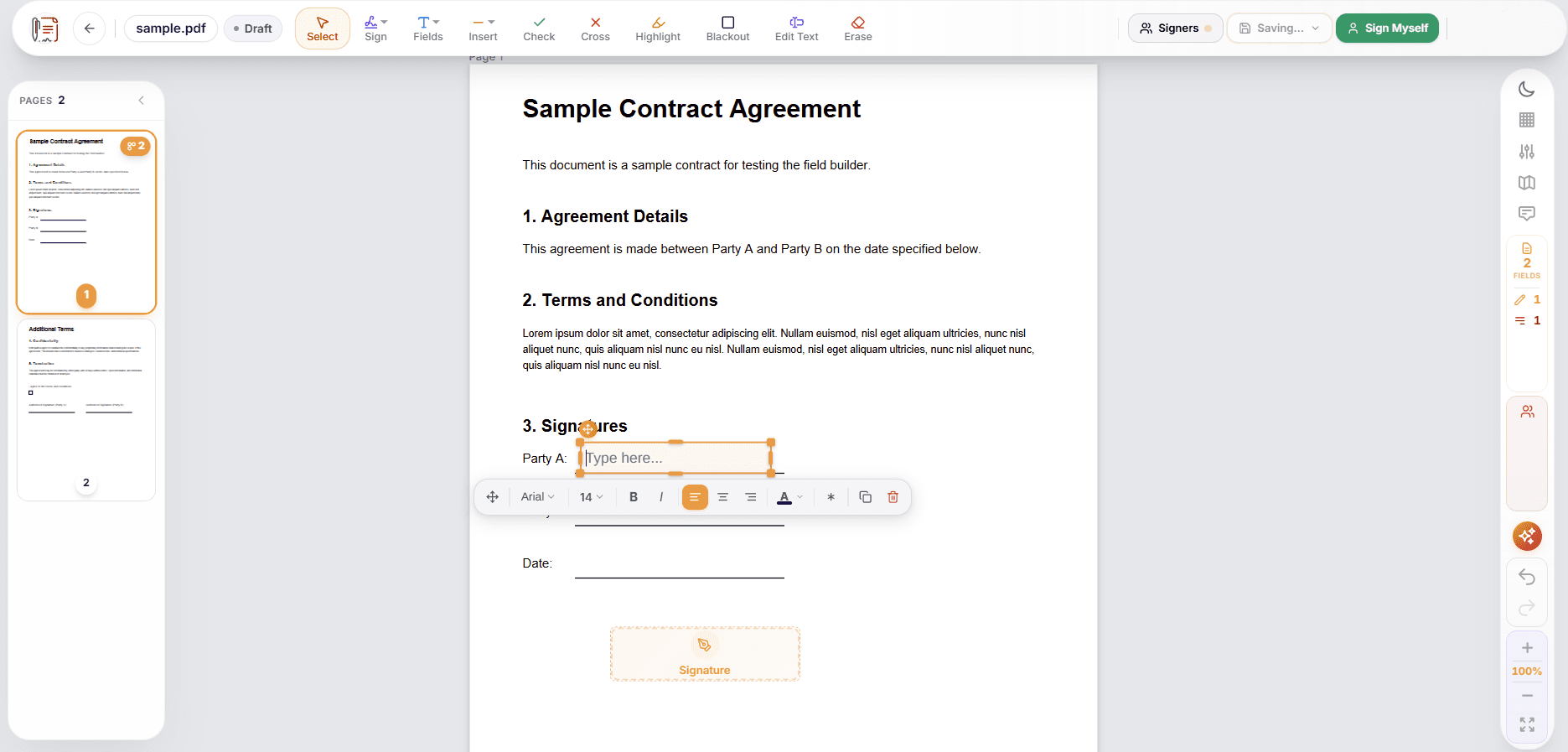
Select text in your PDF to update typos, dates, or names using font metric matching. Place signature, initial, date, and text input fields directly on the page.
Assign Signers, Approvers, and CC recipients. Set sequential signing orders or allow parallel signing with email notifications.
Alex Morgan
Signer (Must sign first)
Jordan Taylor
Approver (Receives after step 1)
Legal Team
CC Recipient (Auto-delivered)
Document views, signatures, and completions are recorded in an audit log with timestamped event details.
When you edit text in a PDF, the editor detects font weight and size to help maintain layout consistency.
Stored documents are protected using AES-256-GCM envelope encryption with per-document key isolation.
Modular Tool Suite
Convert, merge, split, compress, or protect files directly in your browser.
ESIGN & eIDAS Standards
Designed to support electronic signature standards
AES-256-GCM Encryption
Per-document envelope key protection
Event Audit Trail
Timestamp and activity tracking records
Privacy Focused
Temporary document storage for guest trials
No credit card, no software installation, and no sign-in required to try. Test our tools with any document today.
Free trial includes full e-signature suite, document studio, and PDF tools.